VR Carnival
Four seated VR minigames in under a month · sole programmer
- RoleSole Programmer · Game Designer
- EngineUnity · SteamVR
- Team3
- ForCentennial College VR course
Highlights
- Designed for small rooms: every minigame is played seated, but each one is physical in a different way
- Pitched and designed Whack-a-Mole 360 and Simon Says; built all four games
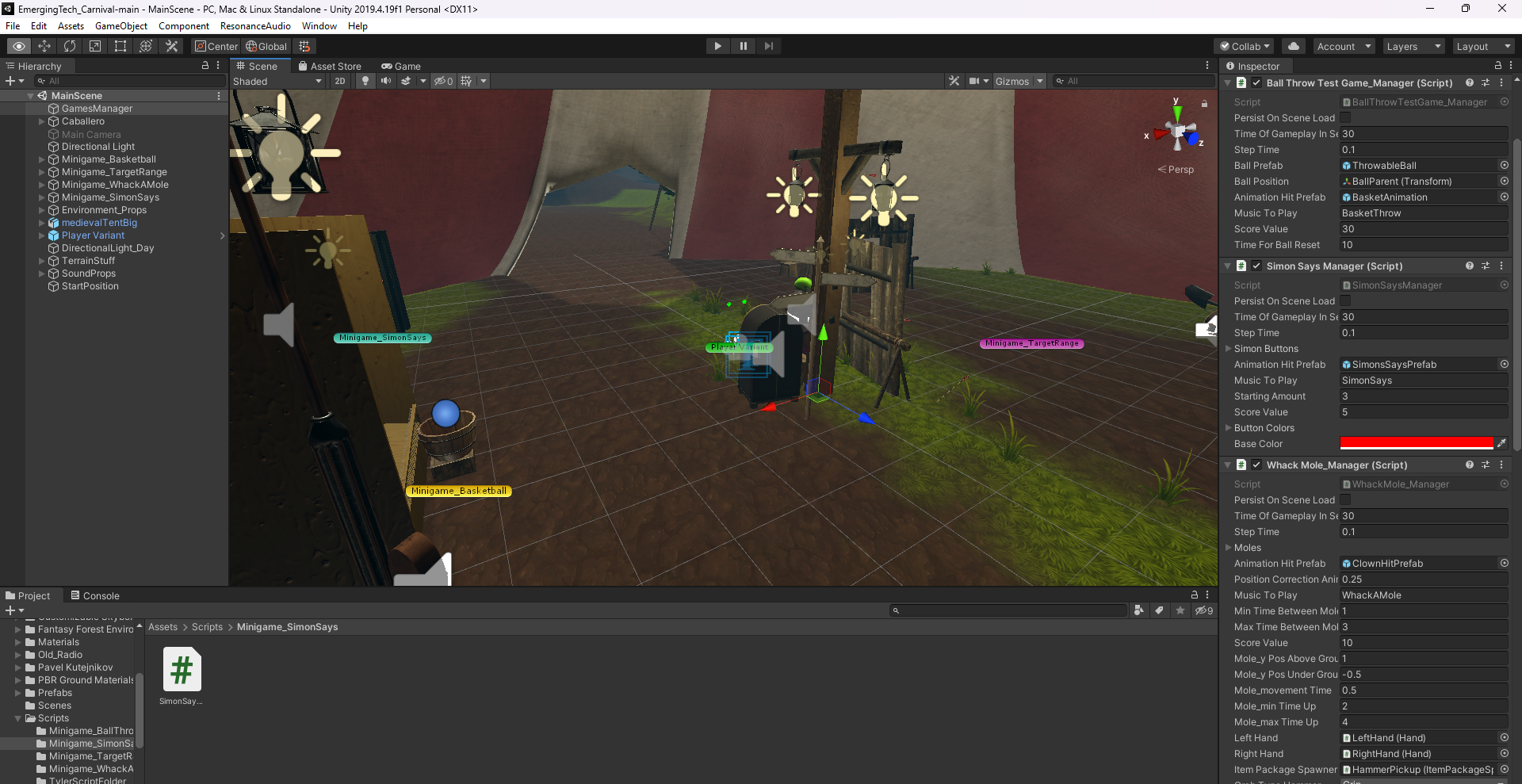
- Exposed every gameplay value so we could tune difficulty and balance through playtesting
Leadership
- On a short-handed team, took on all the programming and scoped the project to four core games in under a month, polishing only after all four were built
Overview
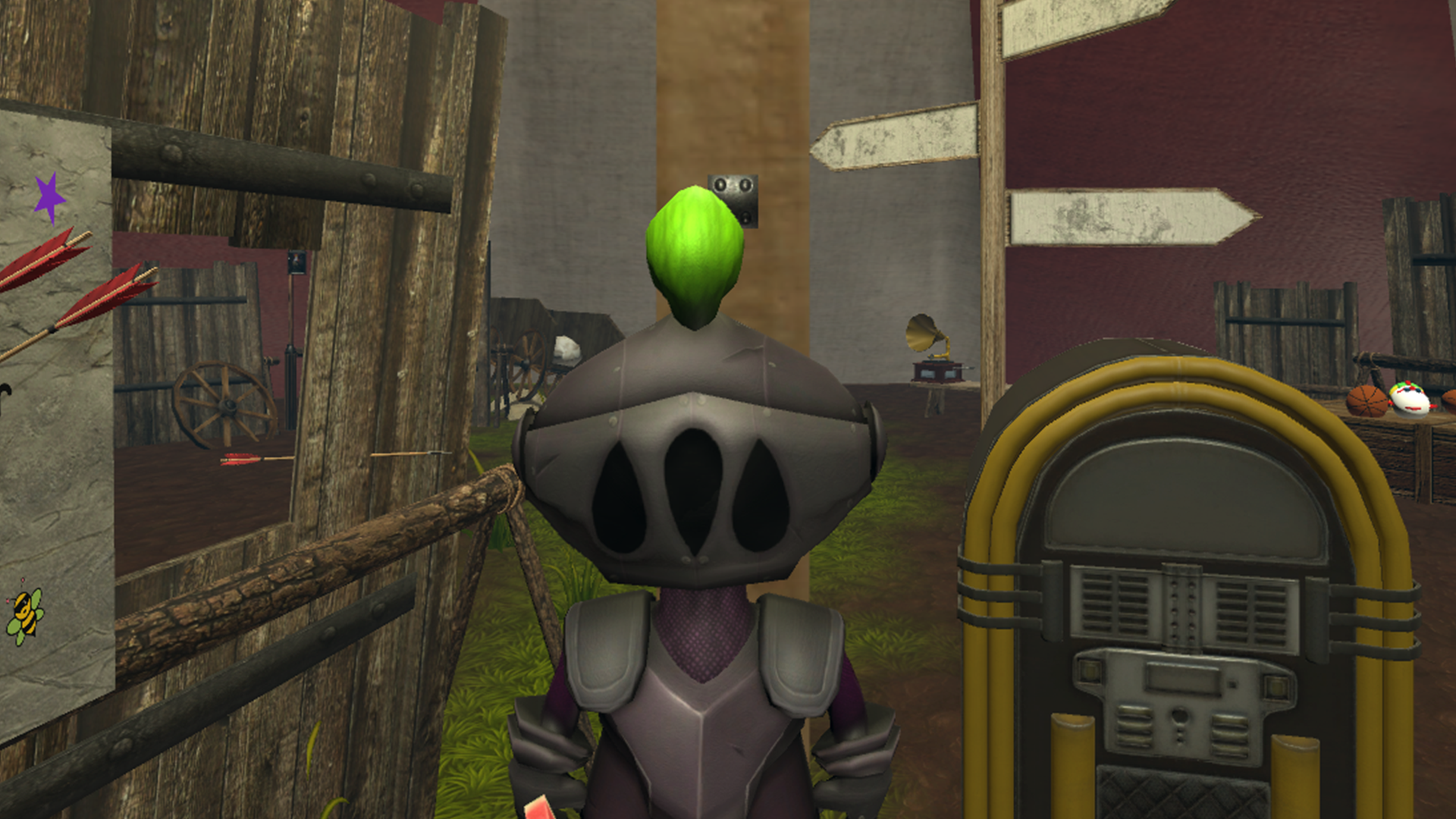
Four VR minigames made in less than a month, during a VR course. Since none of us had much space at home for room-scale VR, everything is played sitting down, but every game is physical and different:
- Shooting Gallery: pop balloons with a bow and arrow
- Whack-a-Mole 360: moles (clowns) pop up all around you
- Basketball
- Simon Says: hit buttons as they light up around you
Most of the assets came from free sources online or the Unity Asset Store.
Technical deep dive
How each game was made
We started by agreeing on seated games. I pitched Whack-a-Mole in 360°, adapted to VR. Basketball came from carnival classics, and the Shooting Gallery from SteamVR’s bow example. Simon Says was also my idea, added once the other three were built: buttons to press all around you felt very physical.
Because of the time limit, our plan was to build all four games fast and then add quality-of-life improvements over time. As the only programmer, I also had to make sure the games felt different enough from one another.
- Basketball started from SteamVR’s cube-grabbing example: I added the court, a collider in the hoop and a recalibrated physics material for the ball, then handled lost balls, ground hits and game duration through playtesting.
- Whack-a-Mole needed a “mole”. We tested a few models and settled on a clown, because the way the shadows hit it made us laugh. The hammer materializes in the player’s hand when the game starts, a piece I later reused for the bow.
- Shooting Gallery reuses SteamVR’s bow and arrow, changed to appear in the player’s hand. Balloons keep spawning around you, so you keep moving in place.
- Simon Says uses SteamVR-style button pushing: hitting a lit button adds to the score and lights a new one, with a few always lit at once.
What I worked on
All minigames inherit from a MiniGameManager singleton, which ensures only one game runs at a time and that each manager exists only once. The base class owns the game timer and exposes protected virtual hooks for before and after each tick and for the wrap-up, so each game only overrides what it needs.
IEnumerator MiniGameController(float totalGameTime)
{
    while (totalGameTime > 0)
    {
        BeforeYield(totalGameTime);
        yield return new WaitForSeconds(stepTime);
        totalGameTime -= stepTime;
        AfterYield(totalGameTime);
    }
    AfterWhile(totalGameTime);
}

protected virtual void BeforeYield(float totalGameTime) { }
protected virtual void AfterYield(float totalGameTime) { }
protected virtual void AfterWhile(float totalGameTime) { }
The Shooting Gallery shows a typical game built on top of it: giving the player the bow, dissolving it in and out with a shader, and spawning targets. Every value is exposed so the games can be balanced easily.
public void StartTargetRange()
{
    if (GameMenuManager.Instance.IsPlayingMinigame())
        return;

    GameMenuManager.Instance.MinigameHasStarted();
    AudioManager.instance.PauseSound();
    AudioManager.instance.PlaySound(musicToPlay);
    score = 0;

    if (selectedHand == null)
        selectedHand = rightHand;
    HandBow();
    for (int i = 0; i < howManyTargetsPerTime; i++)
        ActivateRandomTarget();

    StartMinigame();
}

void ActivateRandomTarget()
{
    var inactive = targetList.Where(x => !x.activeSelf).ToList();
    if (inactive.Count > 0)
        inactive[Random.Range(0, inactive.Count)].SetActive(true);
}

IEnumerator BowDissolve(bool isDissolveOut = false)
{
    List<Renderer> renderers = spawnedBow.GetComponentsInChildren<Renderer>().ToList();

    for (float f = 0; f <= dissolveTime; f += dissolveStepTime)
    {
        float cutoff = isDissolveOut ? f / dissolveTime : 1 - (f / dissolveTime);
        foreach (Renderer r in renderers)
            r.material.SetFloat("_Cutoff", cutoff);
        yield return new WaitForSeconds(dissolveStepTime);
    }

    if (isDissolveOut)
        itemPackageSpawnerBow.CallTakeBackItem(selectedHand);
}

protected override void AfterWhile(float totalGameTime)
{
    GameMenuManager.Instance.MinigameHasEnded();
    UnhandBow();
    TurnOffTargets();
    ScoreManager.Instance.AddCurrentScore(score);
    AudioManager.instance.UnpauseSound();
    AudioManager.instance.StopSound(musicToPlay);
}
Challenges
We were a small team with less capacity than planned, under heavy time pressure from other courses running at the same time. Since I had the most experience, I took on the programming for all four games and filled gaps wherever needed. Scoping to four core games first, and only then polishing, is what let us finish on time. Left/right-hand selection for the bow was one of the features that didn’t make the cut.
Images
Like this project? Get in touch or connect on LinkedIn.